AI Workflow Automation: 7 Examples for Small Businesses
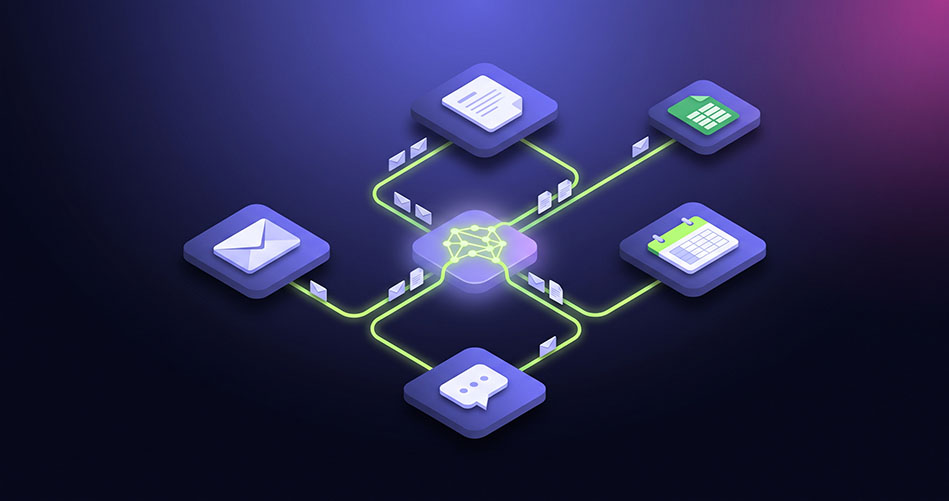
AI workflow automation means connecting AI to the tools you already use, such as email, forms, spreadsheets and your CRM, so routine tasks run on their own. AI reads, sorts and writes, and your apps move the result to the right place. A person steps in only to approve or handle exceptions.
The result is work that used to need someone's attention every day now happens in the background, every time, the same way.
How is AI automation different from regular automation?
Regular automation follows fixed rules: "if a form is submitted, add a row to the sheet." It breaks the moment the input is messy or unexpected.
AI automation handles the messy middle. It can read a rambling customer email and work out what they want, pull an invoice number from a scanned PDF, or decide whether a lead is worth a call. Rules move the data; AI understands it.
That's why tasks that were "too human to automate" a few years ago are now automated every day.
What are real examples of AI workflow automation?
Inbox triage. AI reads every incoming email, tags it as sales, support, billing or spam, and routes it to the right person with a one-line summary. Nobody has to scan a shared inbox again.
Lead qualification. When a contact form comes in, AI scores the lead against your ideal customer, adds it to your CRM, and drafts a personal first reply for you to approve.
Invoice and receipt processing. AI pulls the supplier, amount, date and invoice number from PDFs or photos and enters them into your accounting sheet. You only check the flagged ones.
Support reply drafts. For common questions, AI drafts an answer using your help docs and past replies. Your team edits and sends, cutting response time sharply.
Meeting notes to tasks. After a call, AI turns the transcript into a summary and a task list, then creates the tasks in your project tool with owners and due dates.
Review and feedback monitoring. AI collects new customer reviews, sorts them by theme and sentiment, and sends a weekly digest of what customers love and what's going wrong.
Weekly reporting. AI pulls numbers from your sales, ads and finance tools, writes a plain-English summary of what changed and why, and emails it every Monday morning.
Each of these replaces somewhere between one and several hours of manual work a week. Stack three or four and a small team gets back a full working day.
How do you choose your first workflow to automate?
Pick a workflow that passes all four of these checks:
It repeats. Daily or weekly, not once a quarter.
It follows a pattern. You could explain the steps to a new hire in five minutes.
Mistakes are cheap. An error is easy to spot and fix, not a lost client or a wrong payment.
It touches tools you already use. Email, forms, sheets and CRMs connect easily; a 15-year-old desktop app does not.
Inbox triage and meeting-notes-to-tasks pass all four for almost every business, which makes them the best place to start. Keep a human approval step at first, then remove it once the workflow has proven itself for a few weeks.
New to AI at work? Start with our guide on how to use AI in a small business, then come back here when you're ready to automate.
The bottom line
Chat-based AI saves you minutes. AI workflow automation saves you hours, because the work happens without anyone starting it. Start with one repeatable workflow, keep a person in the loop, and expand once it proves itself.
Off-the-shelf connectors cover the simple cases. When a workflow spans several systems, needs custom logic or has to be rock-solid, that's what Suswo builds: AI-powered automation, delivered fast and engineered to keep running. Talk to us about your workflow.
Frequently asked questions
What is AI workflow automation?
It's connecting AI to your everyday tools so tasks like sorting emails, extracting data or drafting replies happen automatically, with a person reviewing only what matters.
What tools are used for AI workflow automation?
Common choices are Zapier, Make and n8n to connect apps, combined with an AI model such as ChatGPT or Claude to read, sort and write.
Is AI automation reliable enough for business?
Yes, when it's designed with checks. Keep a human approval step for anything customer-facing or financial, and log every run so errors are easy to spot.
How long does it take to automate a workflow?
A simple workflow can run in a day. Workflows that touch several systems or need custom logic usually take one to three weeks to build and test.
Written by